Help
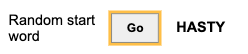
This tool helps narrow the possible words you can choose for Wordle. To start Wordle, you need a word to start with. The Random start word section helps give you a start word with non-repeating letters.
If you want to exclude previous answers, selecting Exclude previous answers will filter answers from the random word generation as well as the matches from submitting the form.
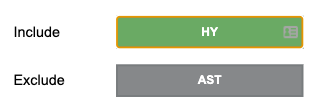
Once you know the results of your first guess, you can input the letters you know are correct into the include section. Letters you don't want should be added to the exclude section.
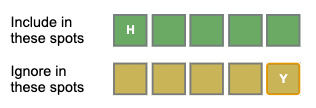
If you know correct letters, and you know the right spot they should be in, add the letter to the correct spot in the Include in these spots section. If you know correct letters, and know the incorrect spots they are in, simply add the letters to the Ignore in these spots section. Once you are done, click submit.
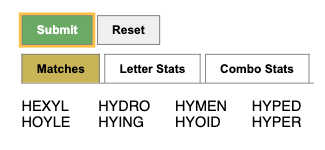
All matches will be shown after clicking Submit . Statistics for the matches are provided in separate tabs. The reset button can be used when starting a new game.
Statistics include the frequency of all letters and the frequency of each pair of letters in the word list. The frequency of all the letters and the pairs of letters are used as weights to generate a score for each match. Matches are sorted by score in the statistics tab.